
Центр оголошень

How to Participate in CWpro Earn
Опубліковано о:2021/11/25 04:03|Останнє оновлення:2025/01/01 15:31

Dear CWpro users,

CWpro New Earning products has been launched. There are fixed and current products, which can also be sub-divided into regular products and activity products; Besides ETH, USDT, DOGE, CWpro has newly added more participation currencies for activity products. The following content is about how to participate in CWpro on Web or App:


WEB

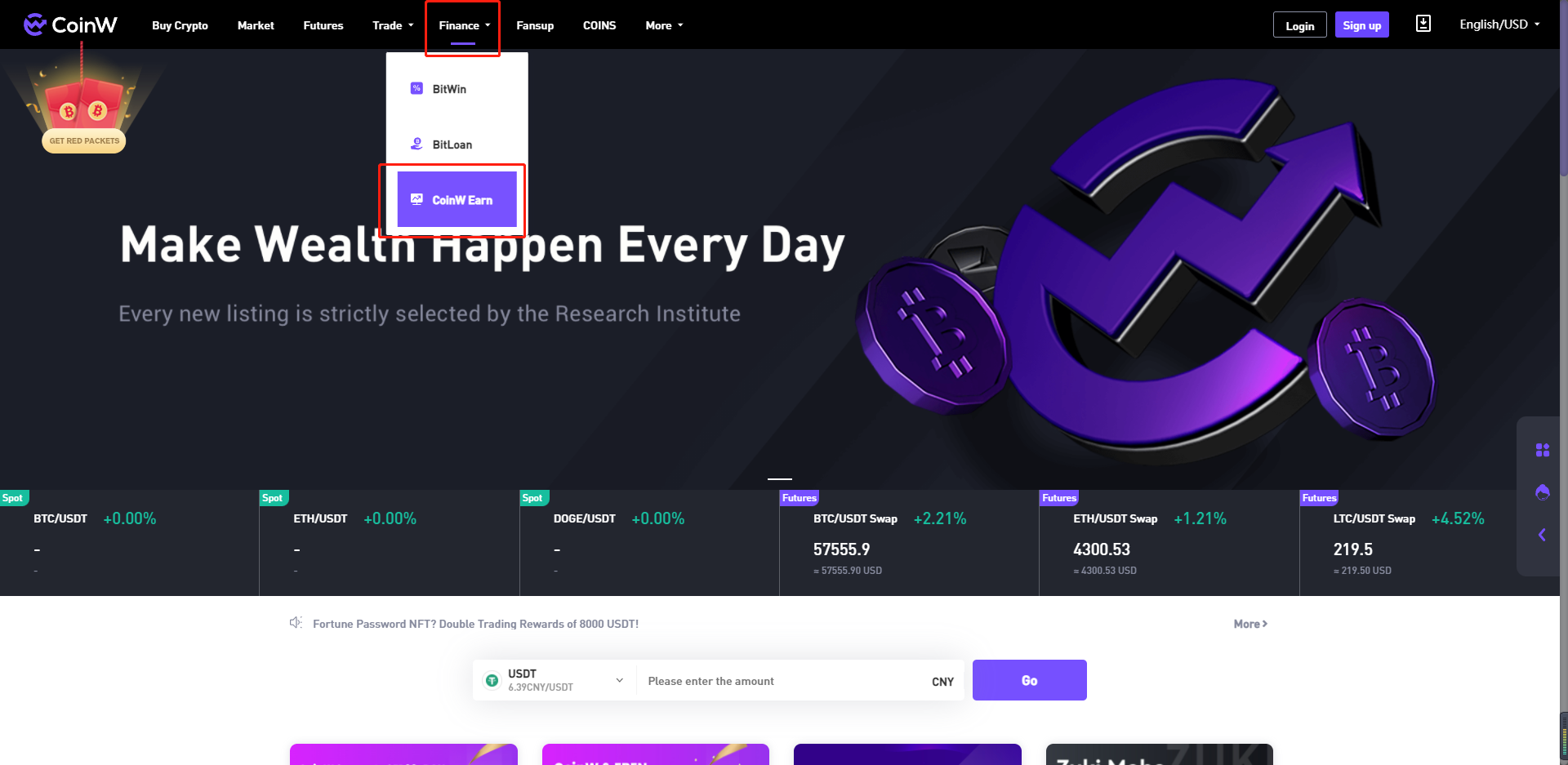
1. Log into CWpro website on PC, move the cursor on “Finance”, and click "CWpro Earn".

5.png


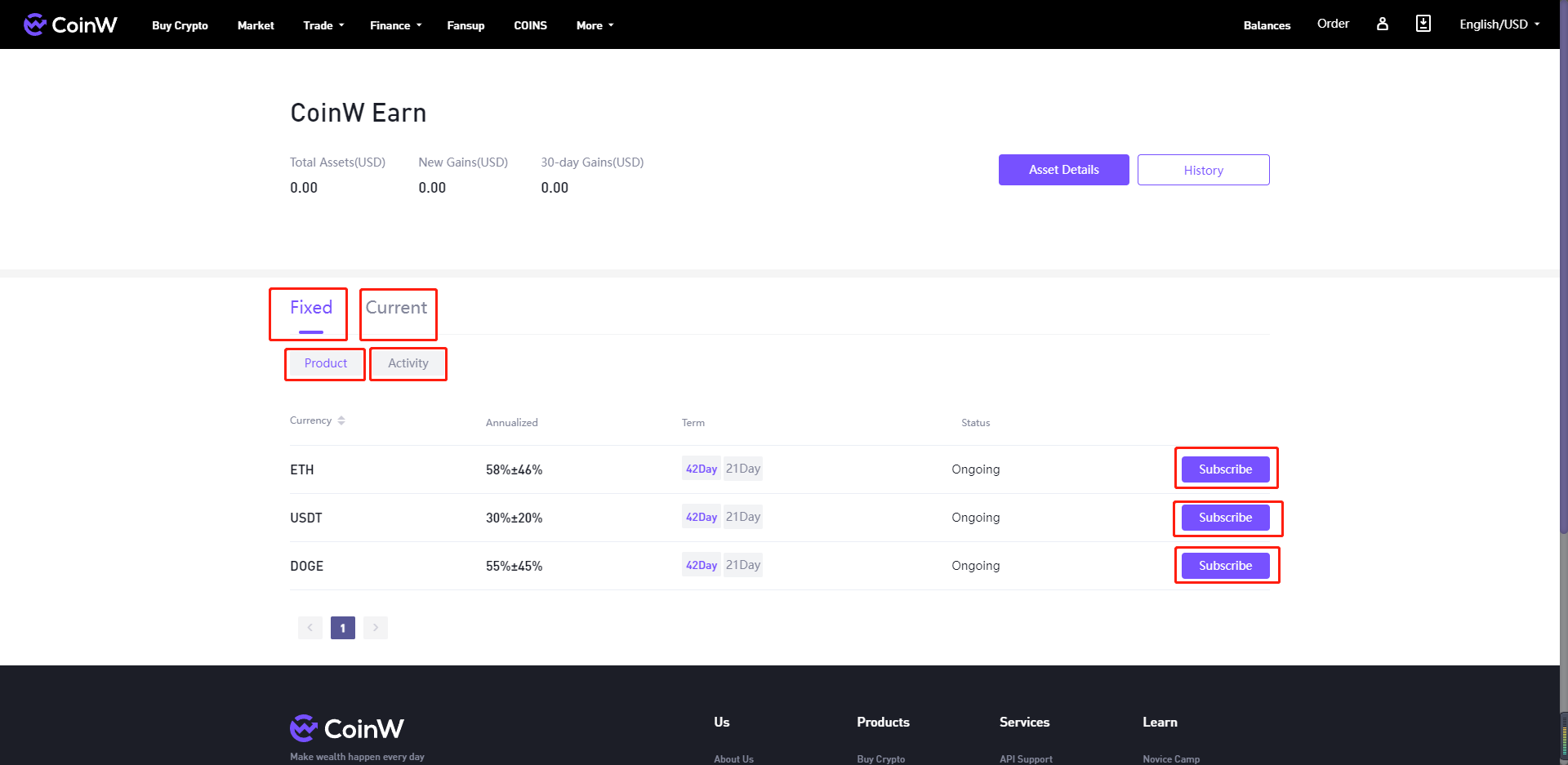
2. First choose and click “Fixed” or “Current” as you need, and choose “Product” or “Activity”, select one product you want as displayed below, and click “Subscribe” to participate. On this page, “Total Assets”, “New Gains”, “30-day Gains” are all can be viewed in real-time on the upper part.

6.png


APP

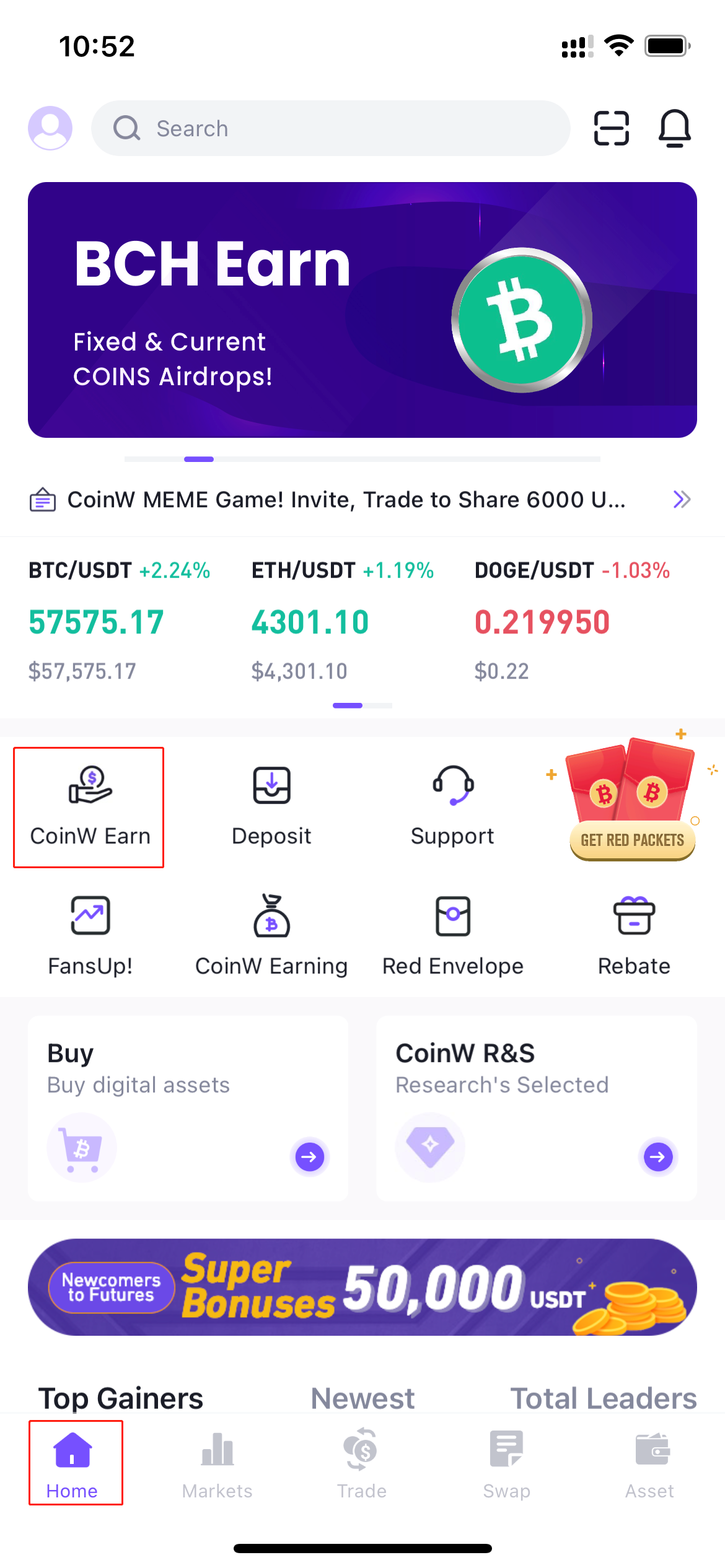
1. Log into CWpro App on the mobile device, click “CWpro Earn” on the Home page.

7.png


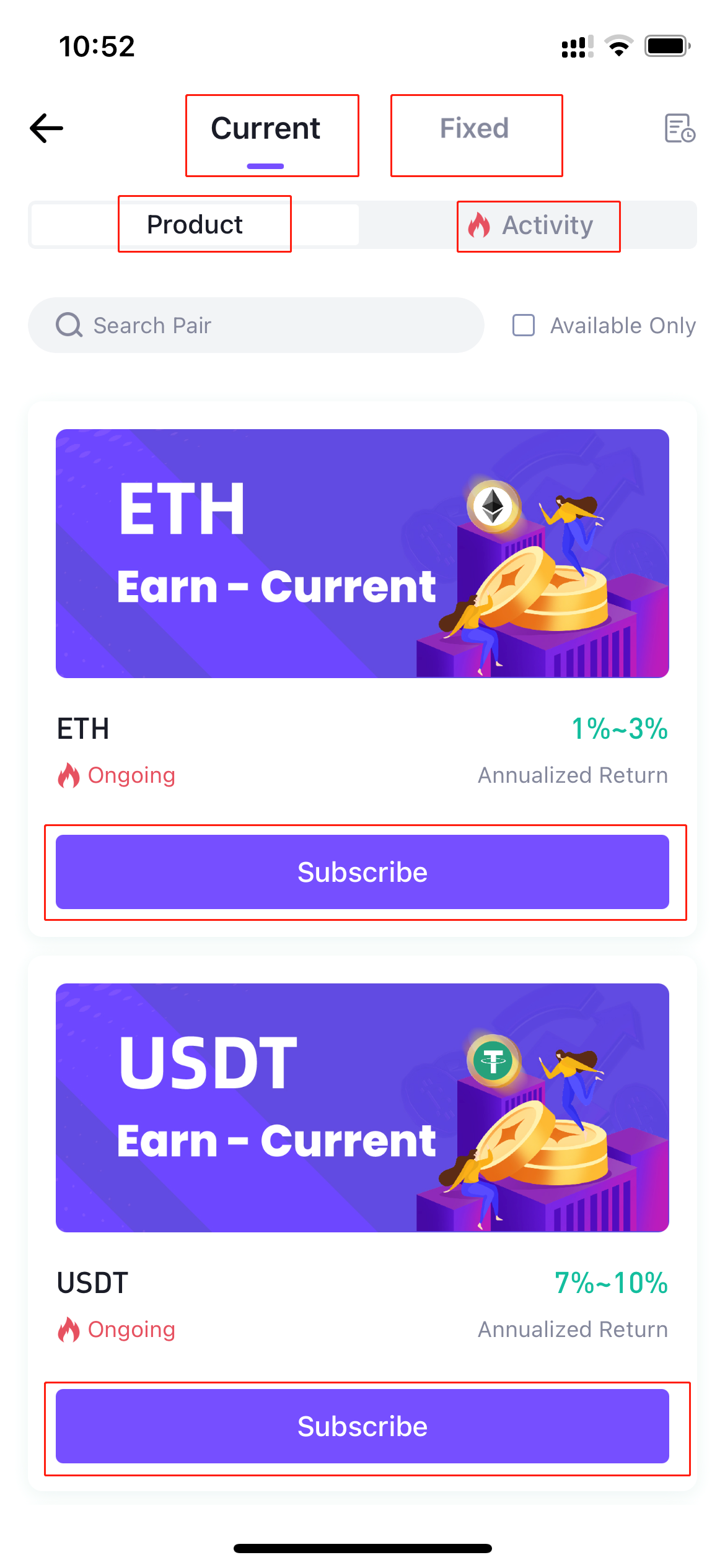
2. First choose and click “Fixed” or “Current” as you need, and choose “Product” or “Activity”, select one product as displayed below, and click “Subscribe” to participate.

8.png

Ця стаття наразі доступна лише англійською мовою. Версія Україна поки що недоступна.
Чи була ця стаття корисною?
0 з 0 вважають це корисним
Обмежена пропозиція для нових користувачів!
Зареєструйтеся зараз, щоб отримати ексклюзивний подарунковий пакет 12000 USDT!
Вже маєте акаунт?Увійти
Популярні статті
How to Participate in CWpro Earn
Опубліковано о:2021/11/25 04:03|Останнє оновлення:2025/01/01 15:31

Dear CWpro users,

CWpro New Earning products has been launched. There are fixed and current products, which can also be sub-divided into regular products and activity products; Besides ETH, USDT, DOGE, CWpro has newly added more participation currencies for activity products. The following content is about how to participate in CWpro on Web or App:


WEB

1. Log into CWpro website on PC, move the cursor on “Finance”, and click "CWpro Earn".

5.png


2. First choose and click “Fixed” or “Current” as you need, and choose “Product” or “Activity”, select one product you want as displayed below, and click “Subscribe” to participate. On this page, “Total Assets”, “New Gains”, “30-day Gains” are all can be viewed in real-time on the upper part.

6.png


APP

1. Log into CWpro App on the mobile device, click “CWpro Earn” on the Home page.

7.png


2. First choose and click “Fixed” or “Current” as you need, and choose “Product” or “Activity”, select one product as displayed below, and click “Subscribe” to participate.

8.png

Ця стаття наразі доступна лише англійською мовою. Версія Україна поки що недоступна.
Чи була ця стаття корисною?
0 з 0 вважають це корисним
Обмежена пропозиція для нових користувачів!
Зареєструйтеся зараз, щоб отримати ексклюзивний подарунковий пакет 12000 USDT!
Вже маєте акаунт?Увійти
Популярні статті