

FAQ
How to View Your Account UID
Published on: 2025/08/13 10:27|Last Update: 2025/08/13 10:27
APP
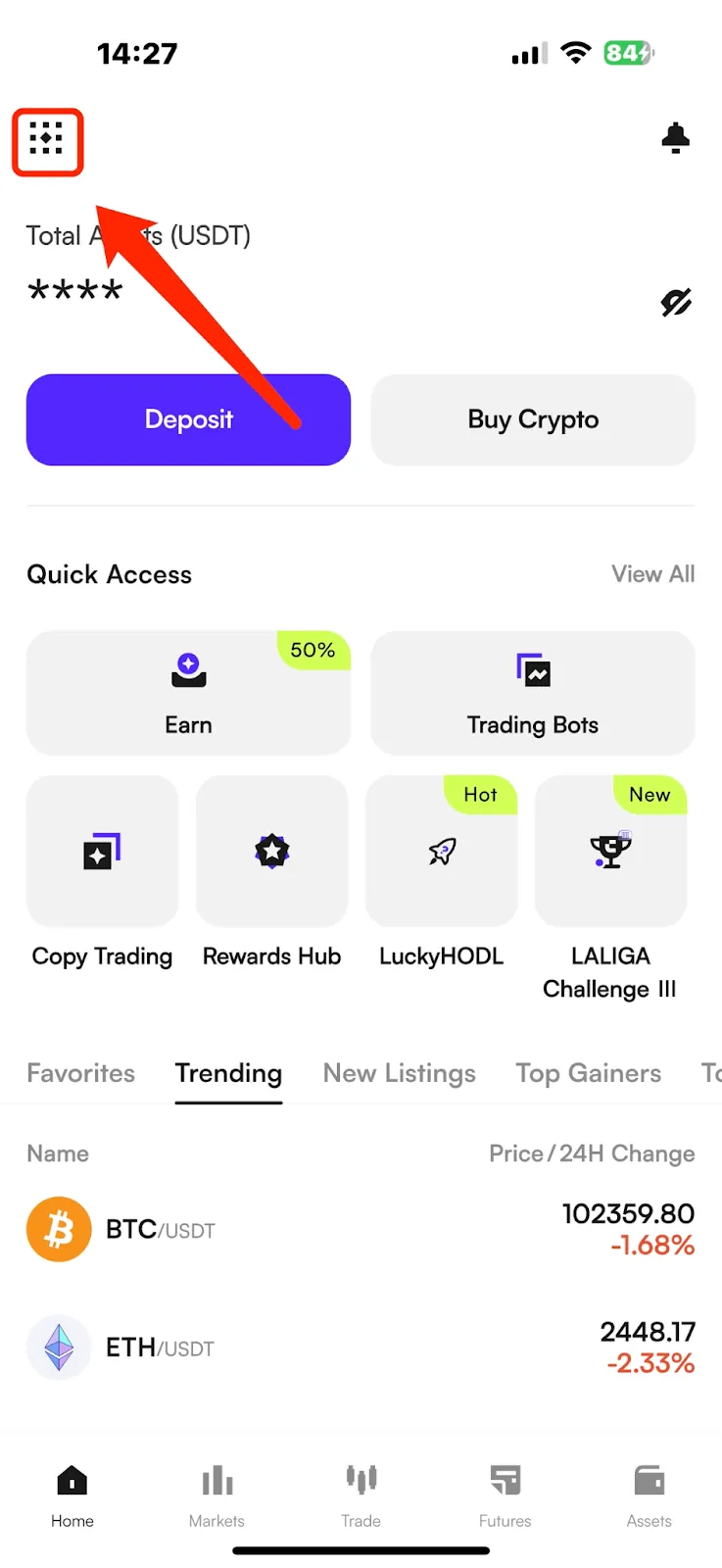
(1) Open the CWpro App, and tap the account icon in the top-left corner of the homepage to enter the More menu.
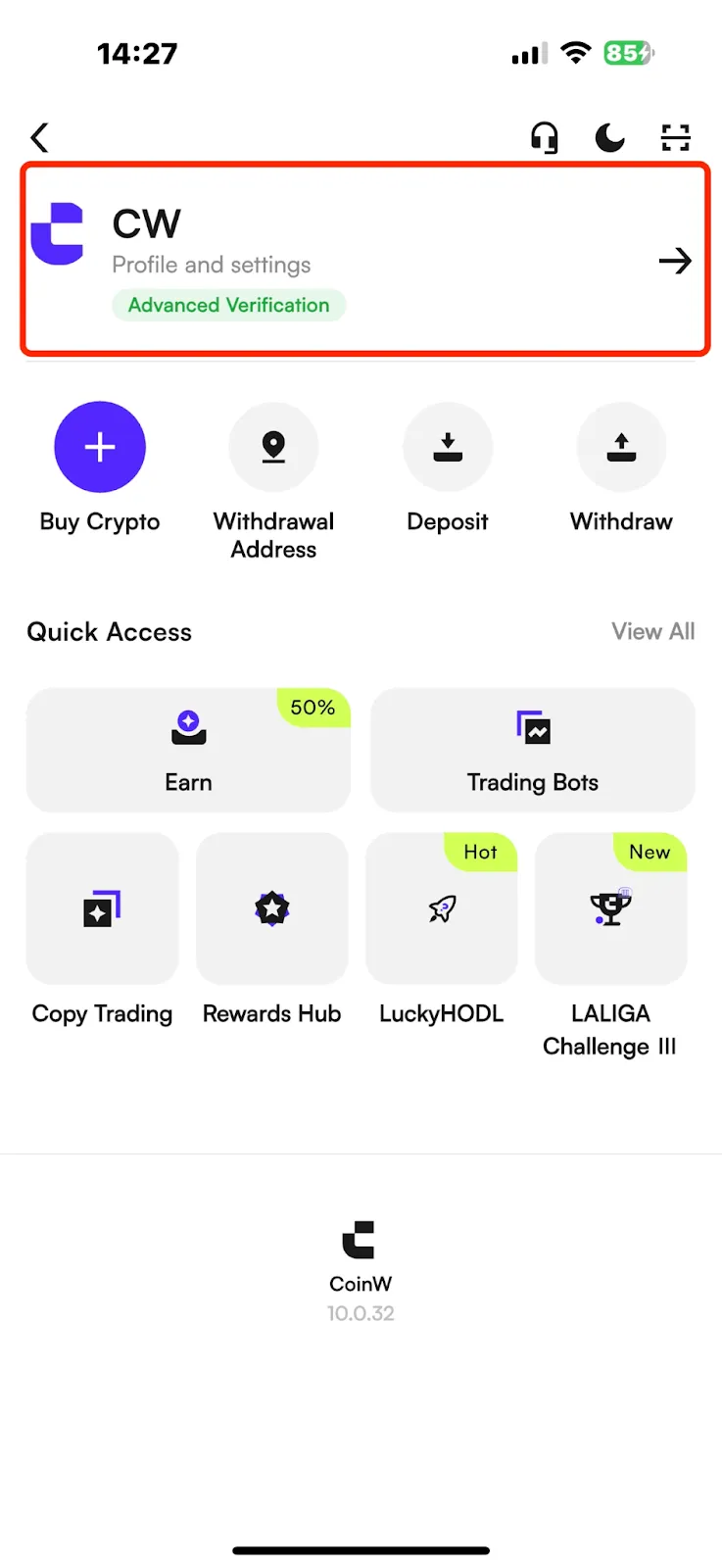
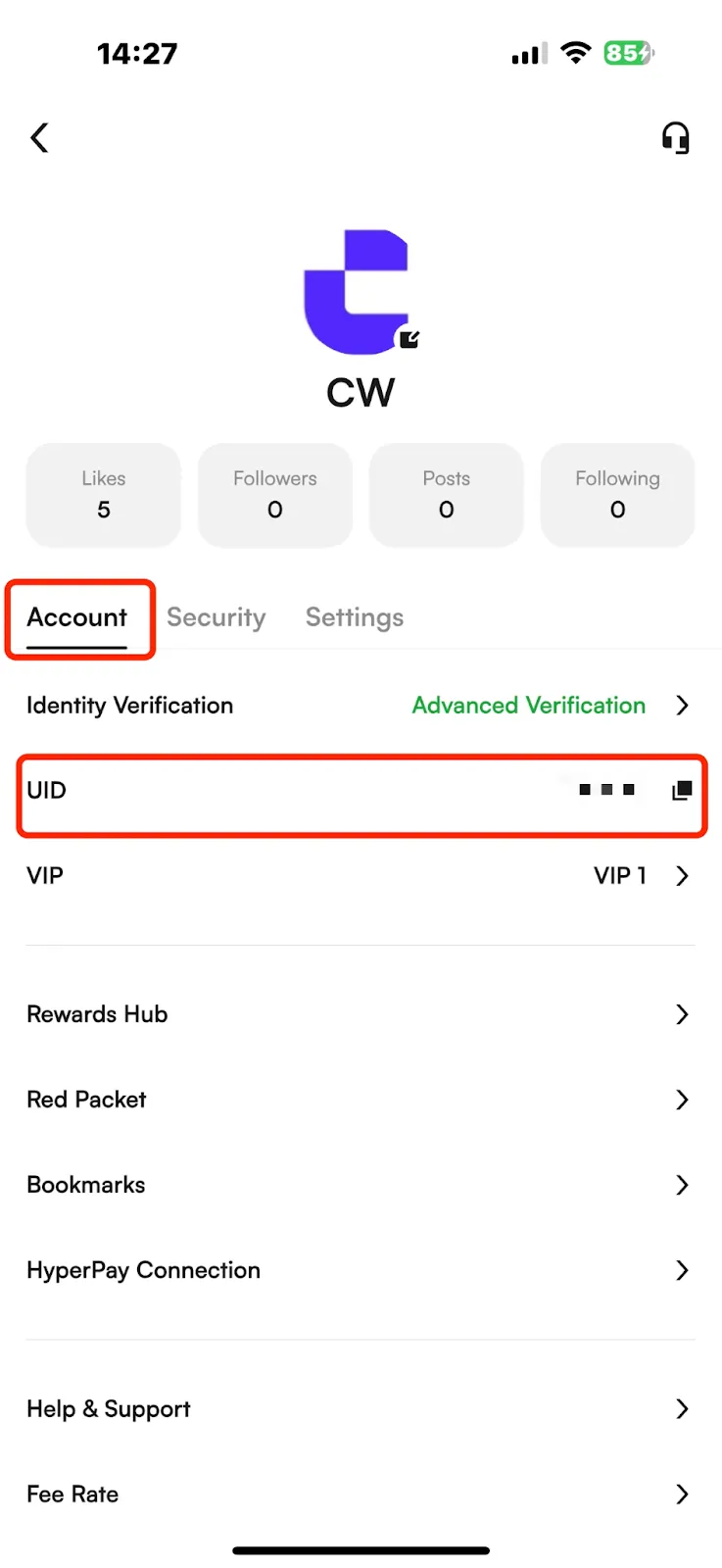
(2) Tap your avatar to enter the Personal Center, where you can view your account UID.
WEB
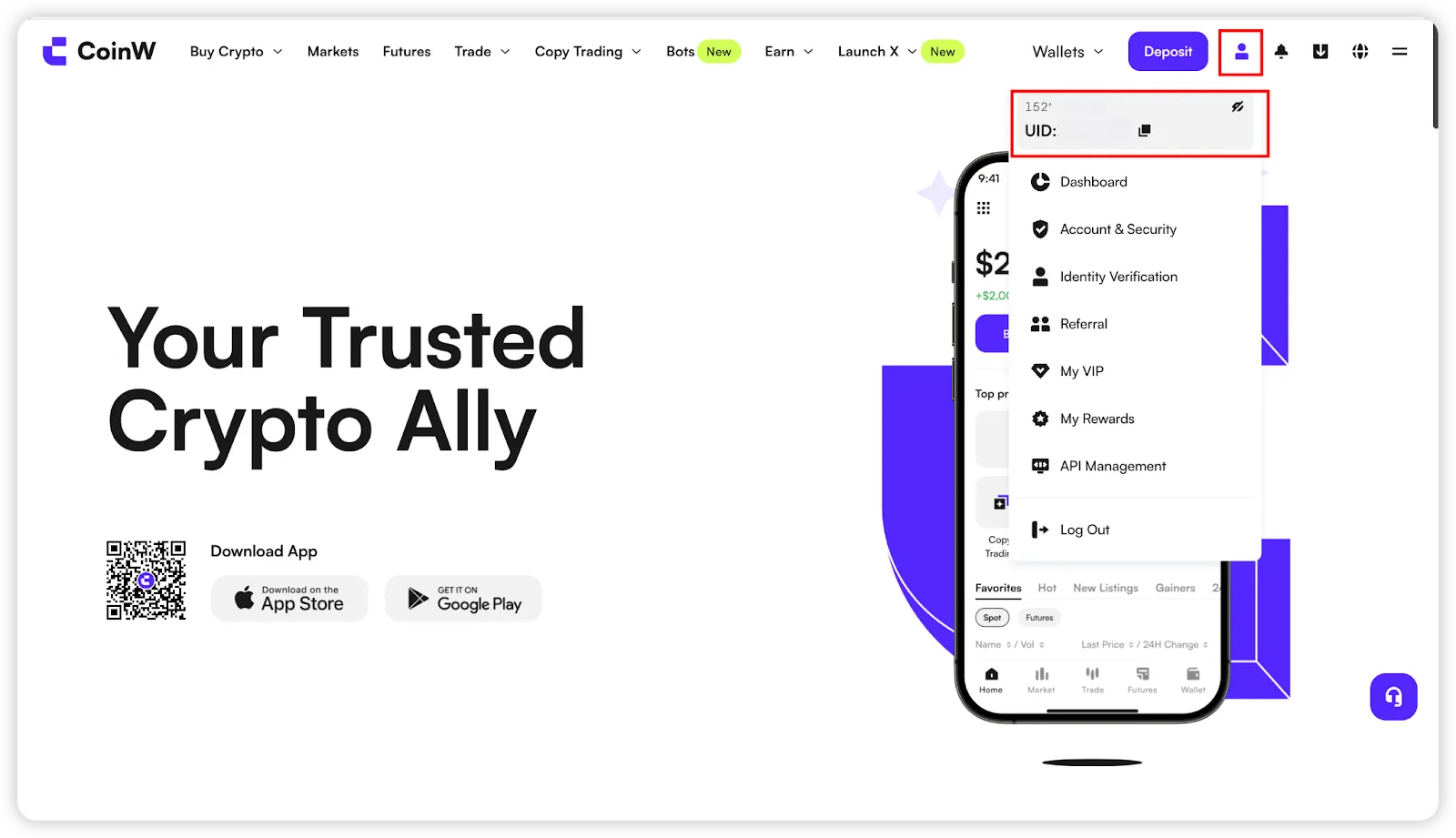
After logging in to the CWpro official website, hover your mouse over the account icon in the top-right corner — your UID will be displayed.
Was this article helpful?
Limited-Time New User Offer!
Sign up now to claim your exclusive 12000 USDT gift pack!
Already have an account?Log In
Popular Articles
How to View Your Account UID
Published on: 2025/08/13 10:27|Last Update: 2025/08/13 10:27
APP
(1) Open the CWpro App, and tap the account icon in the top-left corner of the homepage to enter the More menu.
(2) Tap your avatar to enter the Personal Center, where you can view your account UID.
WEB
After logging in to the CWpro official website, hover your mouse over the account icon in the top-right corner — your UID will be displayed.
Was this article helpful?
Limited-Time New User Offer!
Sign up now to claim your exclusive 12000 USDT gift pack!
Already have an account?Log In
Popular Articles