

FAQ
I. TestFlight Version Download
(1) Official TestFlight download link: https://testflight.apple.com/join/EtUniCyL
Use this link to download the TestFlight version of the CWpro app.
(2) First, download the TestFlight app:
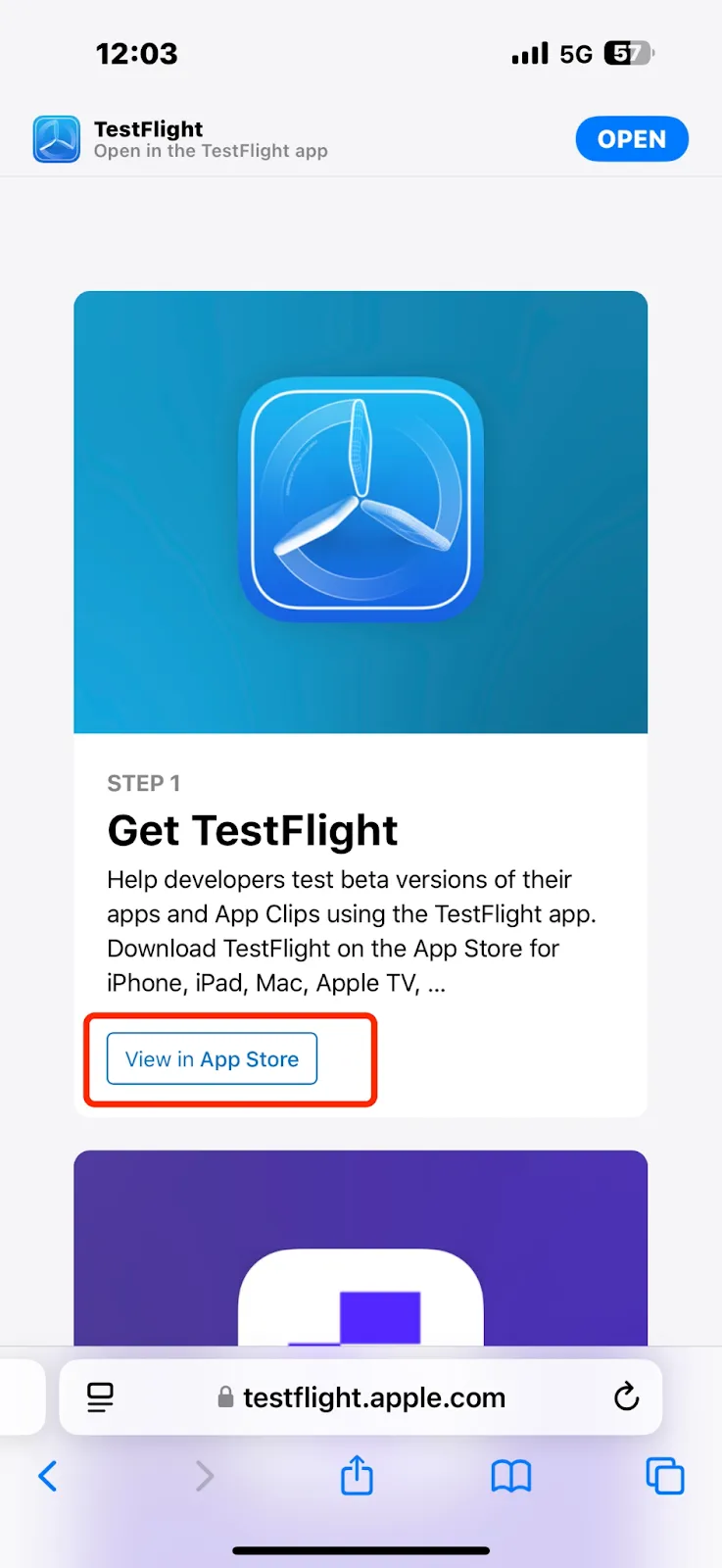
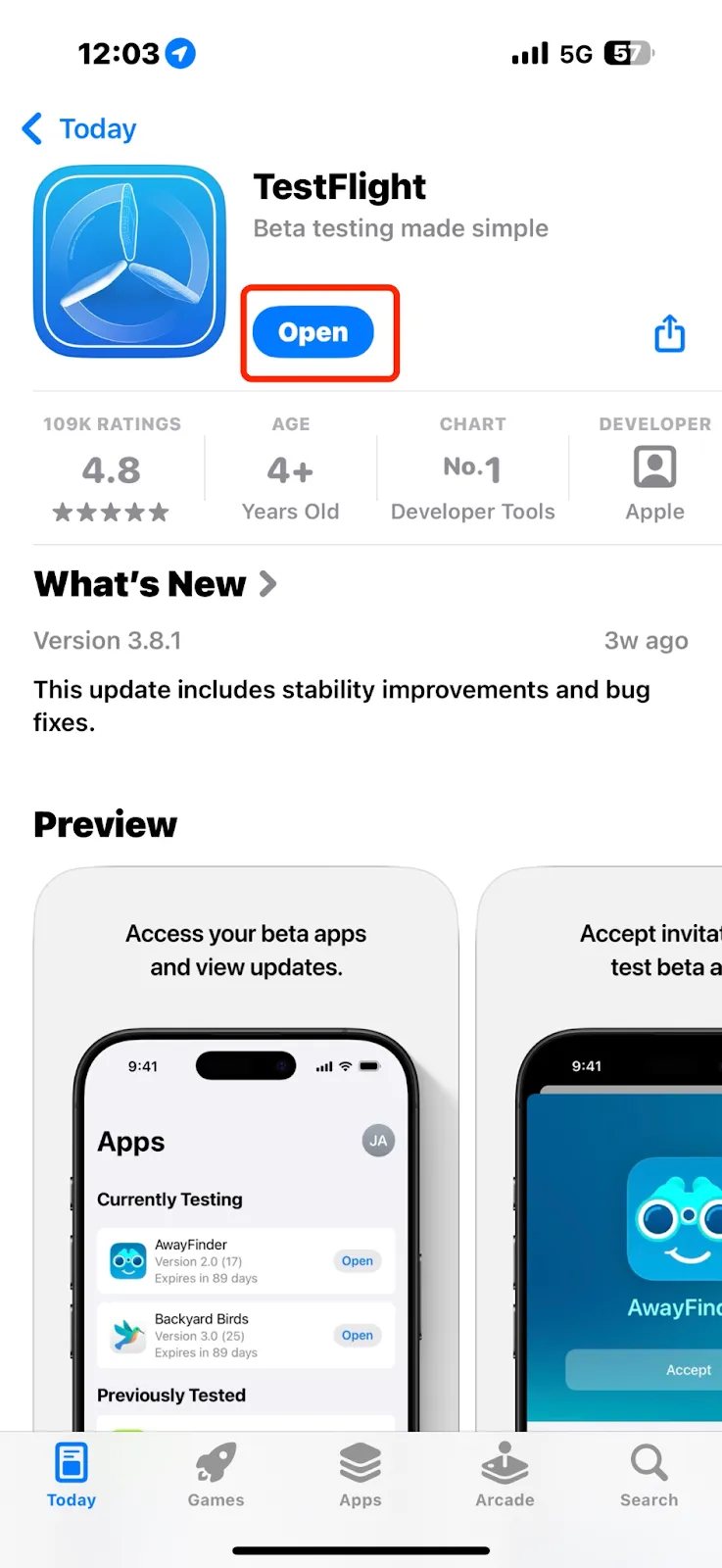
Open the link in your browser and tap [View in App Store] to be redirected. Then tap Download to install TestFlight.
(3) After installing TestFlight, return to the CWpro download page: https://testflight.apple.com/join/EtUniCyL
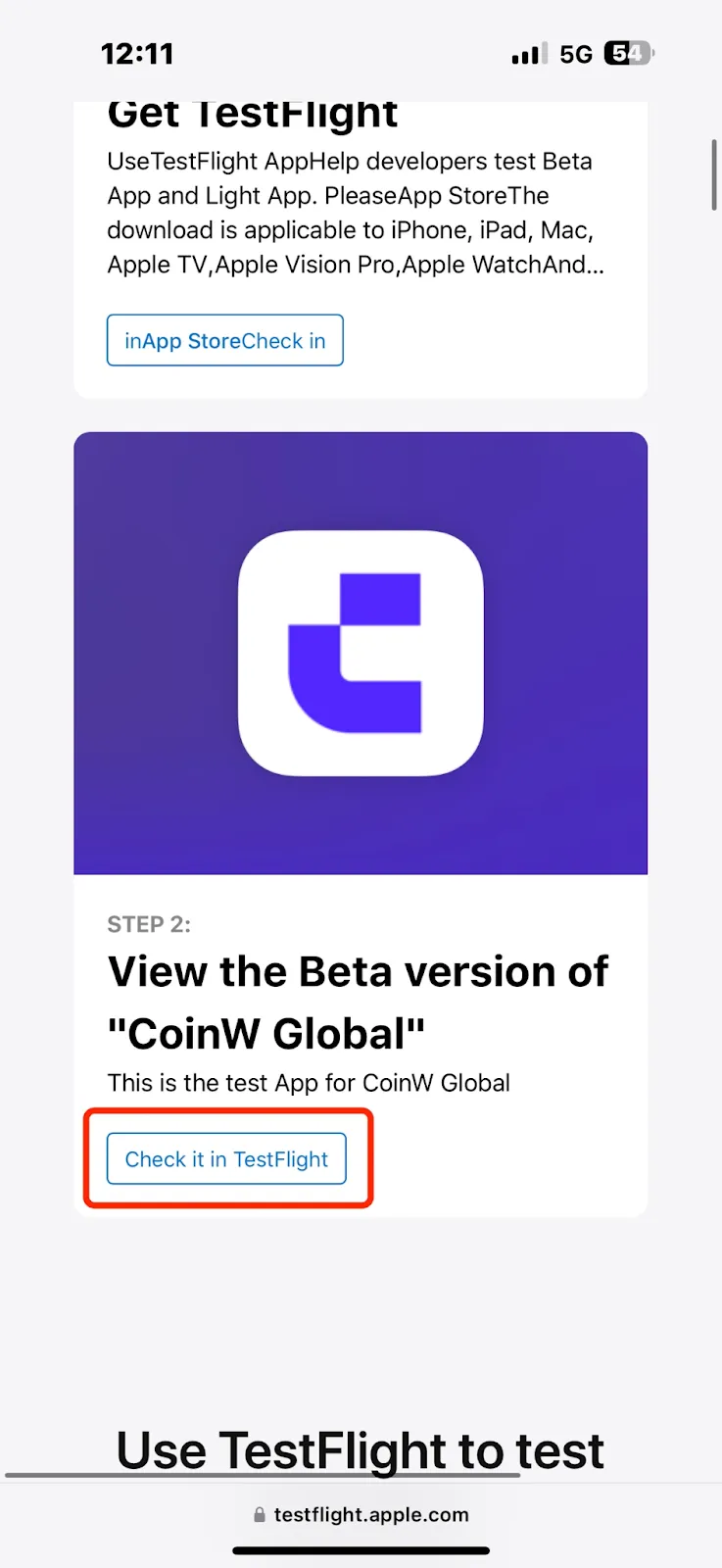
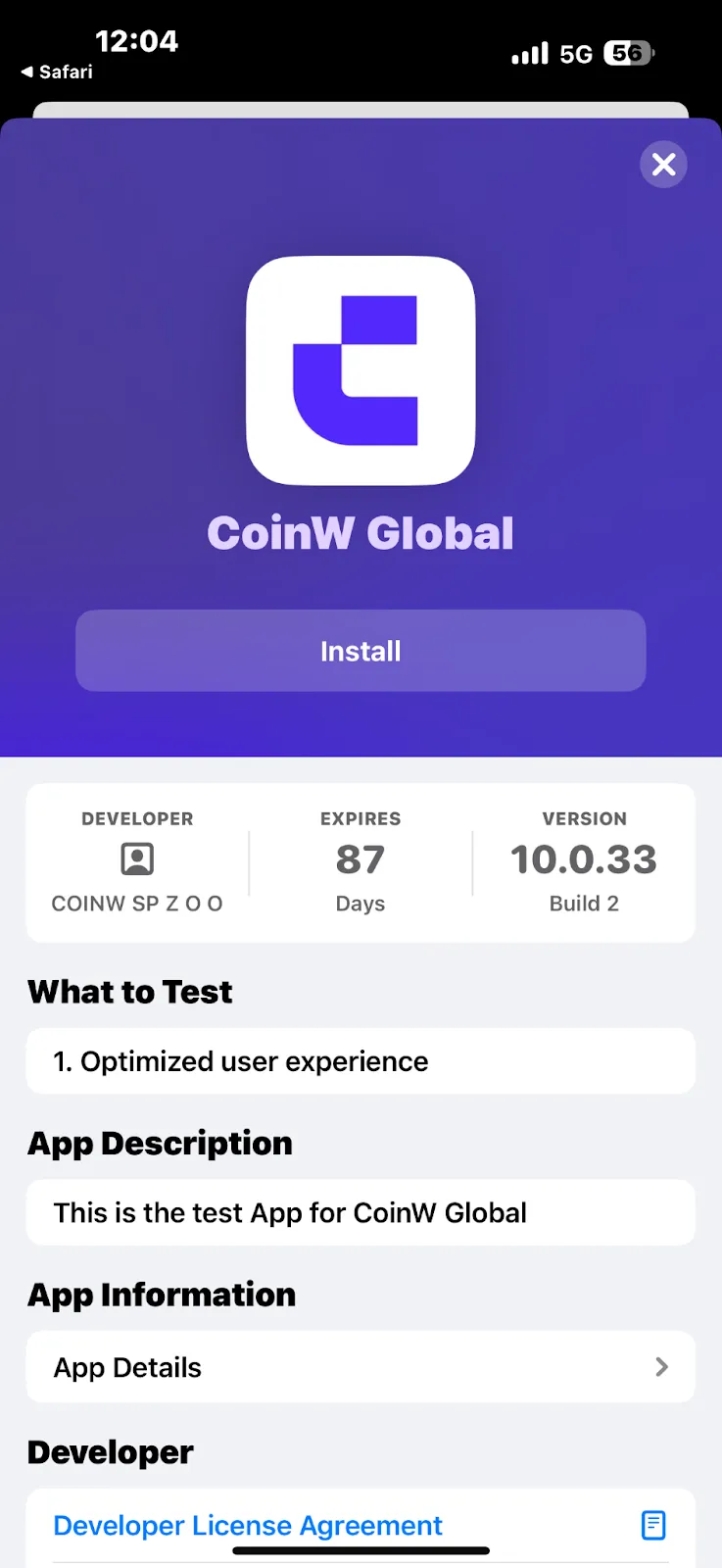
Tap [View in TestFlight], and you will be automatically redirected to the download page. Then tap [Install] to complete the installation.
II. App Store Version Download
(1) Except for the countries listed below, Apple IDs from all other countries can directly search for "CWpro" in the App Store to download the app.
Countries where the CWpro app is not available via App Store search:
Afghanistan, United Arab Emirates, North Macedonia, Bosnia and Herzegovina, Bolivia, Uruguay, Republic of the Congo, Democratic Republic of the Congo, Kyrgyzstan, Guinea-Bissau, Cambodia, Zimbabwe, Kosovo, Lebanon, Lithuania, Liberia, Libya, Rwanda, Myanmar, Morocco, Nicaragua, El Salvador, Serbia, São Tomé and Príncipe, Sri Lanka, Eswatini, Tanzania, Turks and Caicos Islands, Trinidad and Tobago, Venezuela, Singapore, Yemen, Iraq, United Kingdom, Mainland China
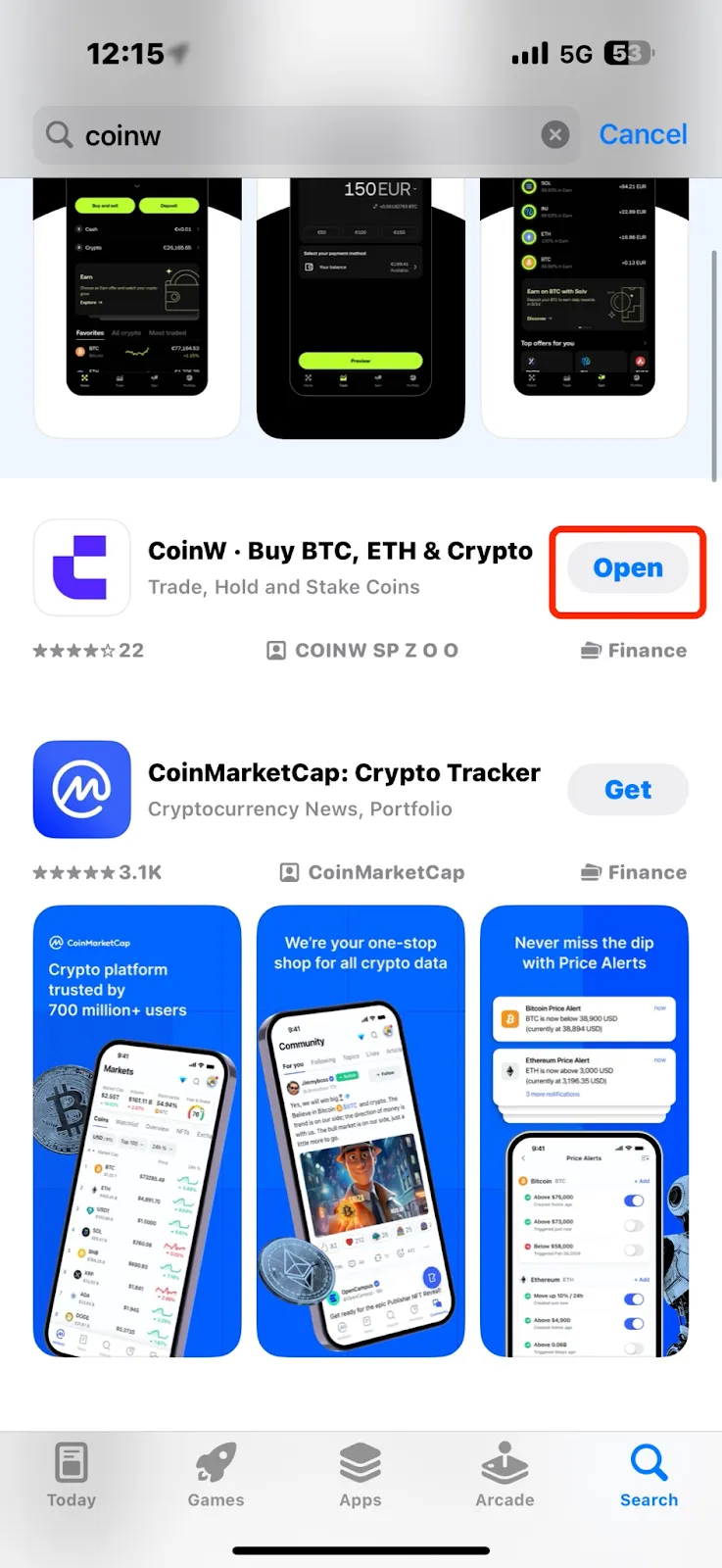
(2) Open the Apple App Store and simply search for “CWpro” to download the app.
I. TestFlight Version Download
(1) Official TestFlight download link: https://testflight.apple.com/join/EtUniCyL
Use this link to download the TestFlight version of the CWpro app.
(2) First, download the TestFlight app:
Open the link in your browser and tap [View in App Store] to be redirected. Then tap Download to install TestFlight.
(3) After installing TestFlight, return to the CWpro download page: https://testflight.apple.com/join/EtUniCyL
Tap [View in TestFlight], and you will be automatically redirected to the download page. Then tap [Install] to complete the installation.
II. App Store Version Download
(1) Except for the countries listed below, Apple IDs from all other countries can directly search for "CWpro" in the App Store to download the app.
Countries where the CWpro app is not available via App Store search:
Afghanistan, United Arab Emirates, North Macedonia, Bosnia and Herzegovina, Bolivia, Uruguay, Republic of the Congo, Democratic Republic of the Congo, Kyrgyzstan, Guinea-Bissau, Cambodia, Zimbabwe, Kosovo, Lebanon, Lithuania, Liberia, Libya, Rwanda, Myanmar, Morocco, Nicaragua, El Salvador, Serbia, São Tomé and Príncipe, Sri Lanka, Eswatini, Tanzania, Turks and Caicos Islands, Trinidad and Tobago, Venezuela, Singapore, Yemen, Iraq, United Kingdom, Mainland China
(2) Open the Apple App Store and simply search for “CWpro” to download the app.