

FAQ
CWpro is committed to providing a safe and transparent trading environment for all users. If you encounter suspicious behavior, scam messages, or someone impersonating CWpro staff, please report the incident to us immediately through the following channels:
(1) Common Types of Scams
(1) Impersonation of CWpro customer service or administrators
(2) Unofficial investment advice or promises of high returns
(3) Requests to transfer funds or reveal sensitive information such as verification codes or private keys
(4) Phishing websites or fake app download links
(2) How to Report
Method 1: Report via the Official Website
(1) Visit the official CWpro website: https://www.cw.pro
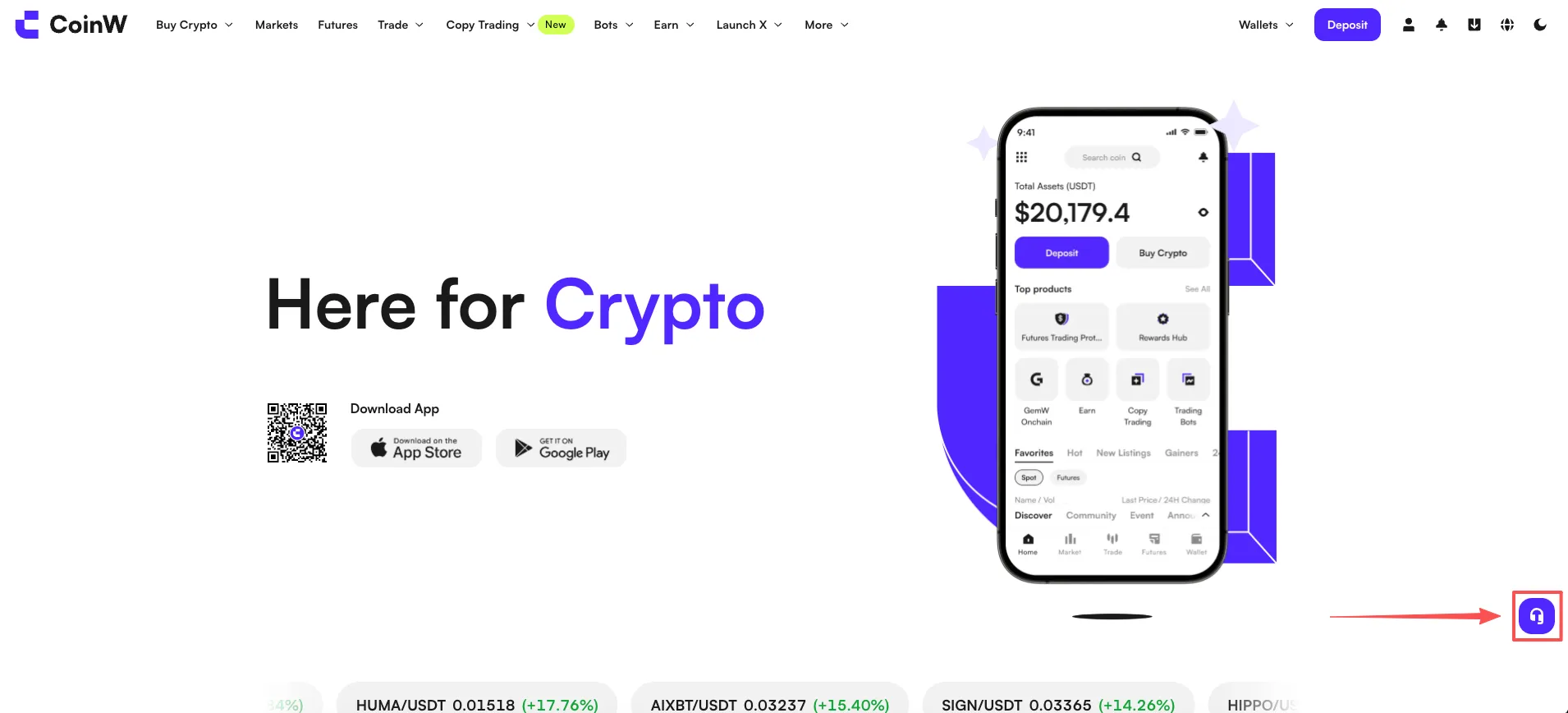
(2) Click the “Online Customer Service” icon in the bottom-right corner
(3) Select “Account & Security” and fill in “Report a Scam”
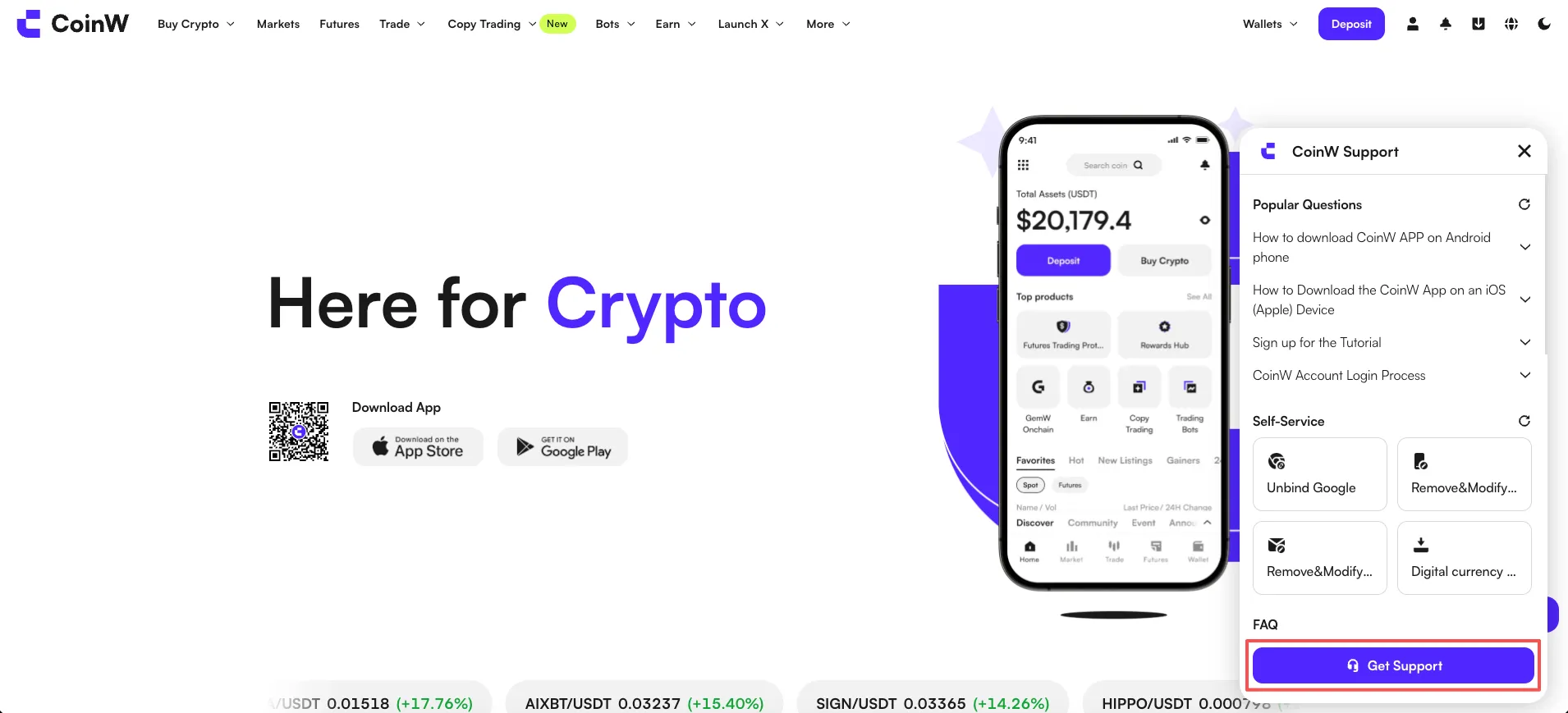
(4) Provide the following information to customer support, and attach relevant evidence if possible (such as screenshots):
A brief description of the incident
UID or nickname of the suspected account (if available)
Relevant screenshots or chat records
Time and platform involved (e.g., Telegram, Twitter, etc.)
Method 2: Report via the Mobile App
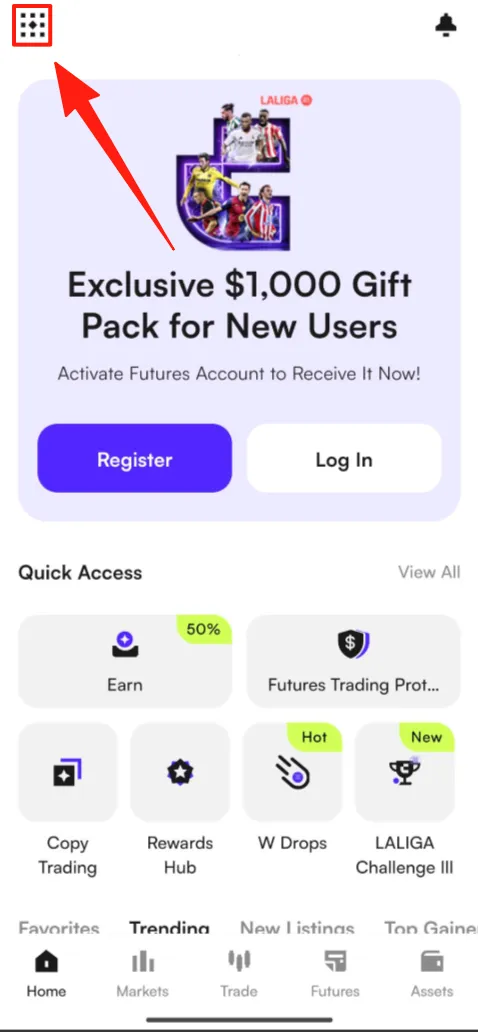
(1) Open the CWpro App
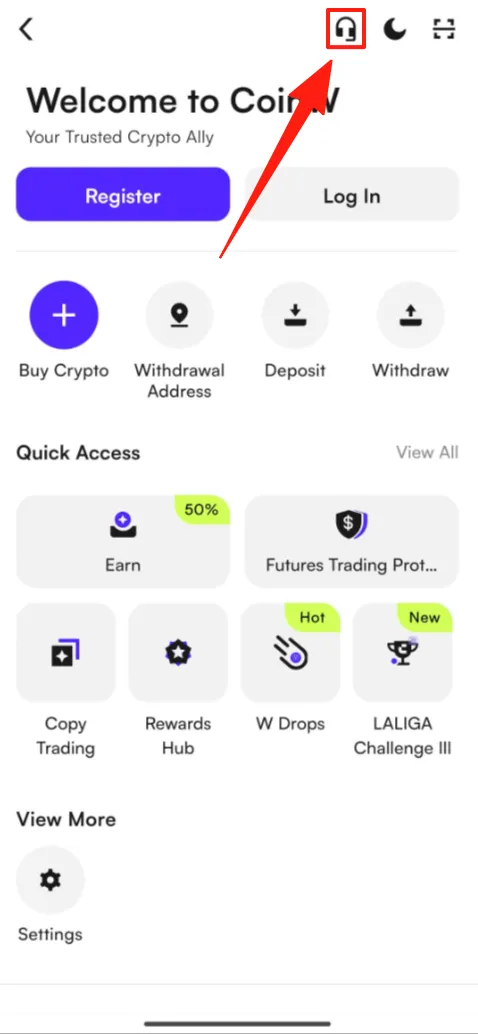
(2) Tap the “Customer Support” icon in the top-right corner of the homepage
(3) Select “Account & Security” and fill in “Report a Scam”
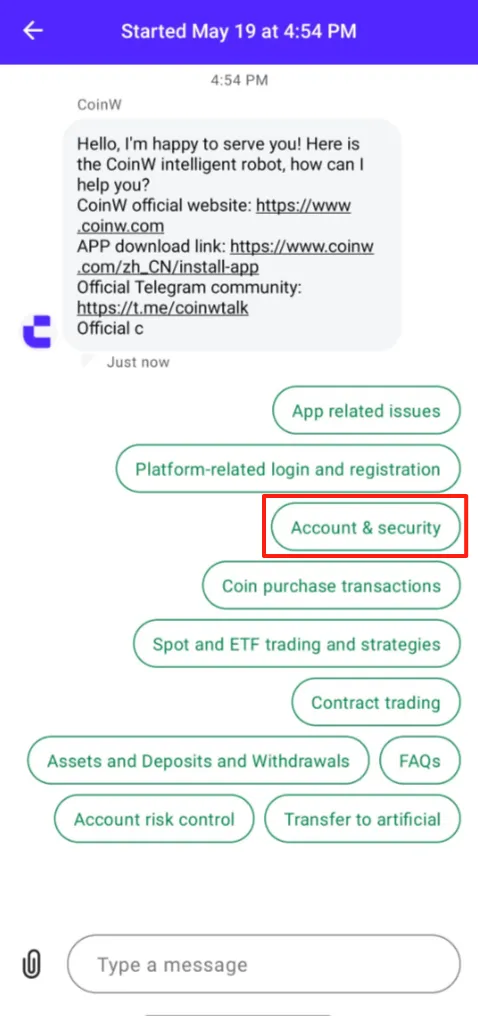
(4) Provide the following information to customer support, and attach relevant evidence if possible (such as screenshots):
A brief description of the incident
UID or nickname of the suspected account (if available)
Relevant screenshots or chat records
Time and platform involved (e.g., Telegram, Twitter, etc.)
(3) Important Reminders
Official staff will never ask you to transfer funds or share your password
Do not click on suspicious links from unknown sources
Always verify official announcements through the CWpro website or app notification center
(4) Friendly Reminder
CWpro encourages users to actively report scam-related behavior. Once verified, we may take actions such as issuing warnings, freezing accounts, or permanently banning the involved users. In severe cases, we may also cooperate with law enforcement agencies.
If you have any questions about the reporting process, feel free to contact our customer service at any time — we are here to help.
CWpro is committed to providing a safe and transparent trading environment for all users. If you encounter suspicious behavior, scam messages, or someone impersonating CWpro staff, please report the incident to us immediately through the following channels:
(1) Common Types of Scams
(1) Impersonation of CWpro customer service or administrators
(2) Unofficial investment advice or promises of high returns
(3) Requests to transfer funds or reveal sensitive information such as verification codes or private keys
(4) Phishing websites or fake app download links
(2) How to Report
Method 1: Report via the Official Website
(1) Visit the official CWpro website: https://www.cw.pro
(2) Click the “Online Customer Service” icon in the bottom-right corner
(3) Select “Account & Security” and fill in “Report a Scam”
(4) Provide the following information to customer support, and attach relevant evidence if possible (such as screenshots):
A brief description of the incident
UID or nickname of the suspected account (if available)
Relevant screenshots or chat records
Time and platform involved (e.g., Telegram, Twitter, etc.)
Method 2: Report via the Mobile App
(1) Open the CWpro App
(2) Tap the “Customer Support” icon in the top-right corner of the homepage
(3) Select “Account & Security” and fill in “Report a Scam”
(4) Provide the following information to customer support, and attach relevant evidence if possible (such as screenshots):
A brief description of the incident
UID or nickname of the suspected account (if available)
Relevant screenshots or chat records
Time and platform involved (e.g., Telegram, Twitter, etc.)
(3) Important Reminders
Official staff will never ask you to transfer funds or share your password
Do not click on suspicious links from unknown sources
Always verify official announcements through the CWpro website or app notification center
(4) Friendly Reminder
CWpro encourages users to actively report scam-related behavior. Once verified, we may take actions such as issuing warnings, freezing accounts, or permanently banning the involved users. In severe cases, we may also cooperate with law enforcement agencies.
If you have any questions about the reporting process, feel free to contact our customer service at any time — we are here to help.